

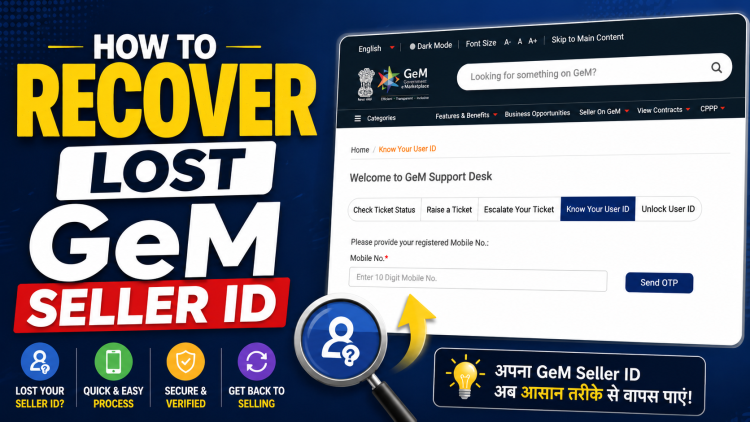
Recovering your GeM Seller ID is simpler than most sellers think, yet many businesses get stuck due to lack of awareness or minor mistakes during the process. If you are a seller on the Government e-Marketplace (GeM) portal and have forgotten or lost your user ID, this guide will walk you through the exact steps to recover it quickly and securely.
What is GeM Seller ID and Why It Matters
Your GeM Seller ID is your primary login credential for accessing the GeM portal. It is essential for:
- Participating in government tenders
- Managing product listings
- Tracking orders and payments
- Updating company and compliance details
Losing access to your GeM account can directly impact your business operations, especially if you are actively bidding or managing contracts.
Common Reasons for Losing GeM User ID
Before jumping into recovery steps, it helps to understand why this issue occurs:
- Multiple team members handling the account
- No proper record of login credentials
- Long inactivity period
- Change in registered personnel
- Misplacement of login details
The good news is that GeM provides a built-in recovery option that makes it easy to retrieve your user ID.
Step-by-Step Process to Recover GeM Seller ID
Follow these simple steps to recover your GeM user ID:
- Go to the official GeM portal Open your browser and visit the Government e-Marketplace website.
- Click on “Raise a Ticket” On homepage, click on the “Raise a Ticket” option.
- Click on “Know your User ID” On the login page, you will find the option labeled “Know your User ID.” Click on it.
- Enter your registered mobile number Provide the mobile number that was used during GeM registration. This step is crucial-if the number is incorrect or inactive, recovery will fail.
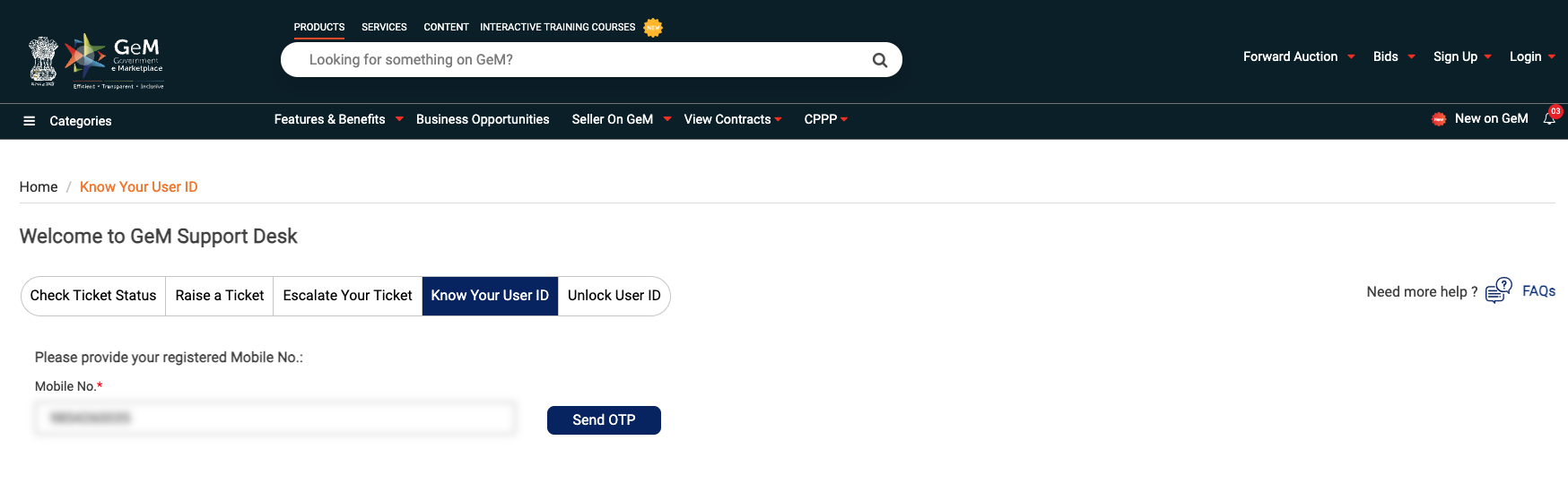
- Enter OTP You will receive a One-Time Password (OTP) on your registered mobile number. Enter it correctly to proceed.
- Get your User ID After successful verification, your GeM Seller User ID will be displayed
Important Tips for Smooth Recovery
To avoid errors during the recovery process, keep these points in mind:
- Always use the mobile number linked to your GeM account
- Avoid multiple failed attempts to prevent temporary blocking
What If You Cannot Recover Your GeM ID?
In some cases, sellers are unable to recover their ID due to:
- Registered mobile number is no longer active
- Account created by a third-party consultant
- Incorrect or outdated registration details
- Technical errors on the portal
This is where professional assistance becomes important.
How Bidz365 Can Help You
Recovering a GeM Seller ID might look easy, but in real-world scenarios, it often involves complications like account mismatch, mobile number issues, or incomplete documentation.
Bidz365 specializes in GeM-related services and can help you:
- Recover your GeM Seller ID quickly
- Resolve mobile number and account mapping issues
- Assist in login recovery and password reset
- Provide complete GeM account management support
- Help you avoid future access problems
Whether you are a new seller or an experienced bidder, having expert guidance can save you time and prevent costly delays.
Final Thoughts
Recovering your GeM Seller ID is usually a quick process if your registered mobile number is active. By using the “Know your User ID” option, you can regain access within minutes.
However, if you are facing any difficulty or your registered details are outdated, it is best to seek professional help instead of risking account lock or delays in bidding.
If you need assistance, Bidz365 is here to support you with fast, reliable, and expert GeM services.