

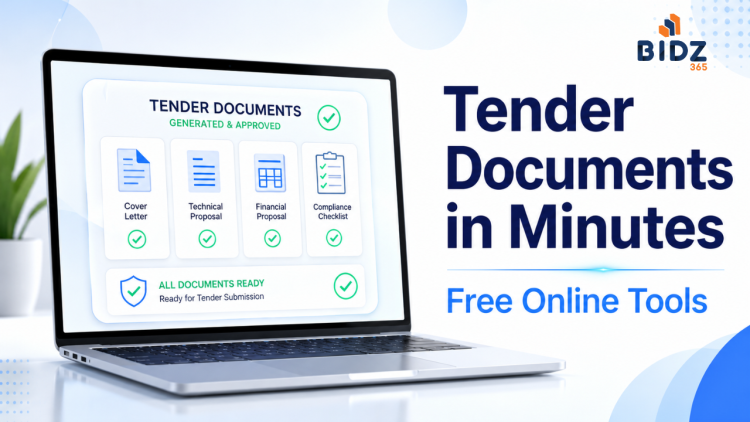
You can prepare almost all standard tender participation documents in minutes using free online tender document generators, instead of struggling with manual drafting in Word every time. By using our document tools smartly, you can standardize your formats, reduce errors, and speed up your bid submission workflow.
Why tender documents matter
Tender participation documents are not “formality papers”; they are legal declarations that prove your eligibility, compliance, and seriousness as a bidder. A missing or badly drafted certificate can lead to outright bid rejection, even if your technical and financial offer is excellent. For MSMEs, startups, OEMs, and consultants, having clean, consistent documentation can be the difference between winning and losing tenders.
Typical tender participation documents
Most Indian government tenders (GeM, CPPP, e‑proc portals, PSUs, state corporations) ask for a common set of declarations and undertakings. These usually include: non‑blacklisting, non‑conviction, non‑relation with authority, financial capability, OEM authorization, Make in India or MSME‑related declarations, and acceptance of tender terms and conditions. Bidz365’s free tools focus exactly on this “supporting documents” layer so you can generate them quickly and accurately.
The problem with manual document drafting
Traditionally, teams copy old Word files, edit names, tender numbers, dates, and hope they don’t miss anything. This leads to inconsistent formats, wrong references to old tenders, missing clauses, and sometimes outdated policy language. It also wastes precious time close to bid submission, when you should be focusing on technical compliance and pricing, not formatting declarations.
Meet Bidz365 free tender document tools
Bidz365 offers a set of free, ready‑to‑use document generators specifically designed for tender participation. You just select the document type, enter basic details (tender no., buyer name, address, firm details), and instantly download a well‑structured, professional document. The platform also supports bulk document generation so you can create multiple certificates in one go. Bonus: You can create your account and save your firm details once to reuse it every time you generate a document.
Compliance and eligibility declarations
Bidz365 covers the core compliance declarations almost every tender needs:
- Non Blacklist Certificate - Declares that your firm is not blacklisted or debarred by any government organization.
- Non Conviction Certificate - Confirms that your firm has not been convicted for any criminal offence.
- Non Relation Undertaking - Declares that the bidder has no prohibited relationship with the tendering authority’s officials.
- Land Border Declaration - Confirms compliance with GoI policies for bidders from countries sharing land borders with India.
- Financial Standing Undertaking - Declares your financial capability and standing for executing the tender.
All these can be generated with consistent language and formatting, reducing your risk of drafting mistakes.
Preference and exemption related documents
Many bidders, especially MSEs and domestic manufacturers, rely on policy benefits. Bidz365 gives you ready formats for key declarations:
- Make in India Certificate - Self‑certification supporting Make in India for availing purchase preference.
- MSE EMD Exemption Request Declaration - Request letter for exemption from Earnest Money Deposit for eligible MSEs.
- MSE Turnover/Experience Exemption Request Declaration - Declaration seeking relaxation in turnover/experience criteria based on MSE status.
These templates help you clearly communicate your eligibility for exemptions and preferences in line with common tender requirements.
Bid process and commercial declarations
Commercial integrity and acceptance of conditions are crucial in any bid. Bidz365 provides generators for:
- Bid Security Declaration - Confirms your compliance with bid security requirements (especially when EMD is replaced by declaration).
- Bid Terms and Conditions Acceptance Certificate - Confirms that you accept all tender terms, conditions, and additional technical requirements.
- Lowest Price Declaration Certificate - Declares that your quoted price is the lowest and not offered at a lower rate elsewhere, when such a certificate is required.
- Warranty Declaration - Confirms warranty terms for products or services offered under the tender.
- MRP Declaration - States the Maximum Retail Price (MRP) of the product where MRP‑based declaration is required.
Using standardized formats here avoids contradictory statements and keeps your bid commercially clean.
OEM and operational documents
Operational clarity and OEM backing often matter, especially in IT, equipment, and large supply contracts. Bidz365 includes:
- OEM Authorization Certificate - Generates an authorization letter from the Original Equipment Manufacturer empowering you to bid as their partner or reseller.
- Escalation Matrix Certificate - Provides a clear matrix of contact points in your company for issue resolution and escalation during contract execution.
These documents reflect your seriousness and readiness to support the project post‑award.
Step‑by‑step: preparing tender documents using free tools
-
Read the tender carefully
List down every required declaration/undertaking from the tender document or bid checklist (e.g., non‑blacklisting, OEM authorization, Make in India, MSE exemptions). -
Prepare your master data
Keep all static data ready: firm name, registered address, contact details, GST, PAN, CIN, MSME/Udyam details, authorized signatory name/designation etc. -
Visit tools.bidz365.com
Open the tools page and browse the available document types or use the search bar to find what you need (e.g., “Non Blacklist”, “OEM Authorization”). -
Select a document and enter details
Click on the specific document generator; you’ll be prompted for key inputs like tender number, buyer organization name, addresses, and any tender‑specific references. Enter them carefully and review spelling, tender refs, and dates. -
Generate and review the document
Hit the “Generate” button; Bidz365 will auto‑format the document with your data into a professional, ready‑to‑use structure. Do a quick check for correctness of names, tender numbers, and clauses. -
Use Bulk Document Generation when needed
If you need multiple documents for the same tender, use the Bulk Document Generation option to create several certificates at once, saving time and maintaining consistency of details. -
Download, print, sign, and stamp
Download the generated file, put it on your company letterhead, print, sign with the authorized signatory, and affix stamp wherever mandated. Scan to PDF if the platform requires soft copies. -
Organize for upload/physical submission
Keep all generated documents in a dedicated folder for that tender, with clear filenames. Upload them on the e‑tender portal under the correct slots, or combine in a single compiled PDF as per instructions.
Data privacy and comfort
We do not collect, store, process, or retain user‑generated documents or tender‑related data, other than basic user profile information. Review our privacy policy for more details.
Who should start using these tools
These free tools are especially useful for MSMEs, startups, regional suppliers, and consultants who participate in multiple tenders but lack a large documentation team. OEMs and national‑level vendors can also use them to standardize formats across partners, ensuring every bid carries clean, policy‑aligned declarations.
Time to upgrade
If you are still manually editing old Word files for every tender, this is the right time to switch. Bookmark https://tools.bidz365.com and build your next tender document set using these free generators. A few minutes saved on paperwork can be invested in what actually wins tenders: better solutions, sharper pricing, and strong compliance.